Stop doing LinkedIn
outreach yourself

Drake connects, messages, and follows up with your prospects - so you don’t have to.
Let Drake handle your outreach
No credit card required.
Helping professionals from companies like:

Stop overpaying
for LinkedIn tools

What you pay for
Other tools
Drake
Price per DM
57% cheaper
Price per comment
59% cheaper
Price per connection
66% cheaper
Drake
Other tools

How it works

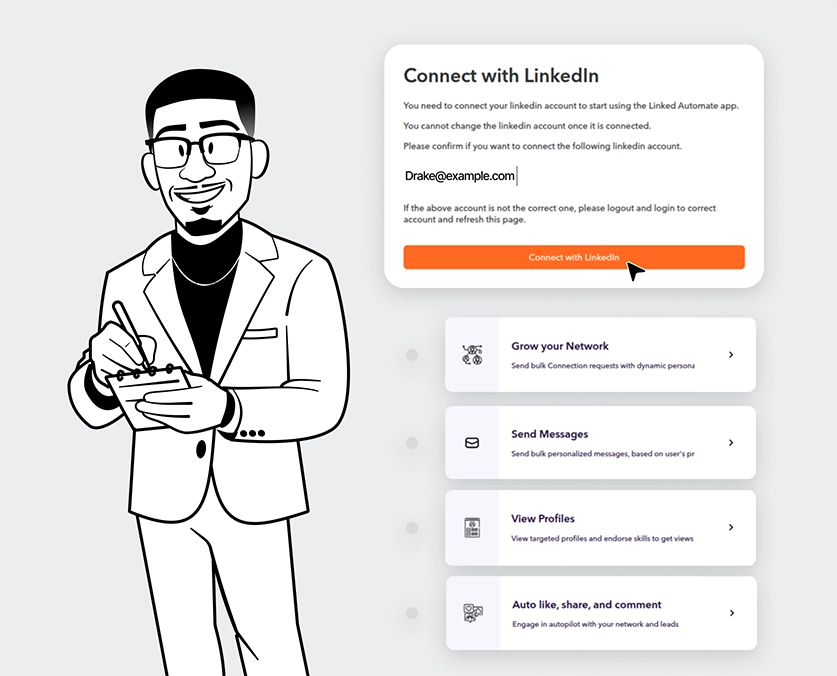
1. Create your account
Install Drake and connect your LinkedIn.
You’re ready to go.
2. Choose who to reach out to
Build your list from search or profiles.
Drake works through it for you.
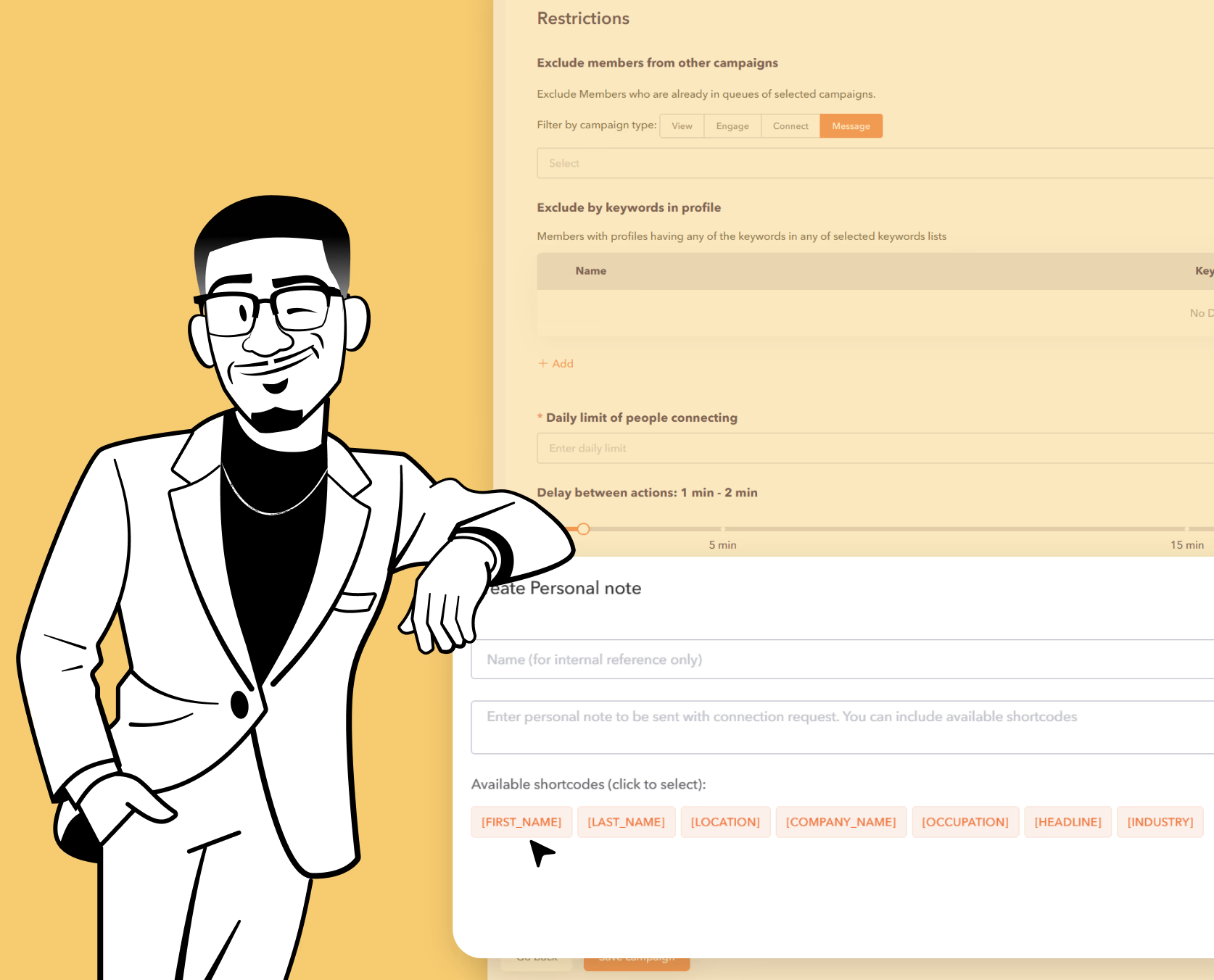
3. Set up your campaign
Add your messages and follow-ups.
Set it once and let it run.
4. Let it run
Drake handles the outreach automatically.
You step in when someone replies.
1. Create your account
Install Drake and connect your LinkedIn.
You’re ready to go.
2. Choose who to reach out to
Build your list from search or profiles.
Drake works through it for you.
3. Set up your campaign
Add your messages and follow-ups.
Set it once and let it run.
4. Let it run
Drake handles the outreach automatically.
You step in when someone replies.
1. Create your account
Install Drake and connect your LinkedIn.
You’re ready to go.
2. Choose who to reach out to
Build your list from search or profiles.
Drake works through it for you.
3. Set up your campaign
Add your messages and follow-ups.
Set it once and let it run.
4. Let it run
Drake handles the outreach automatically.
You step in when someone replies.
1. Create your account
Install Drake and connect your LinkedIn.
You’re ready to go.
2. Choose who to reach out to
Build your list from search or profiles.
Drake works through it for you.
3. Set up your campaign
Add your messages and follow-ups.
Set it once and let it run.
4. Let it run
Drake handles the outreach automatically.
You step in when someone replies.
1. Create your account
Install Drake and connect your LinkedIn.
You’re ready to go.
2. Choose who to reach out to
Build your list from search or profiles.
Drake works through it for you.
3. Set up your campaign
Add your messages and follow-ups.
Set it once and let it run.
4. Let it run
Drake handles the outreach automatically.
You step in when someone replies.
1. Create your account
Install Drake and connect your LinkedIn.
You’re ready to go.
2. Choose who to reach out to
Build your list from search or profiles.
Drake works through it for you.
3. Set up your campaign
Add your messages and follow-ups.
Set it once and let it run.
4. Let it run
Drake handles the outreach automatically.
You step in when someone replies.
1. Create your account
Install Drake and connect your LinkedIn.
You’re ready to go.
2. Choose who to reach out to
Build your list from search or profiles.
Drake works through it for you.
3. Set up your campaign
Add your messages and follow-ups.
Set it once and let it run.
4. Let it run
Drake handles the outreach automatically.
You step in when someone replies.
1. Create your account
Install Drake and connect your LinkedIn.
You’re ready to go.
2. Choose who to reach out to
Build your list from search or profiles.
Drake works through it for you.
3. Set up your campaign
Add your messages and follow-ups.
Set it once and let it run.
4. Let it run
Drake handles the outreach automatically.
You step in when someone replies.

Everything you need.
Nothing you don’t.

3 tools, for the price of 1
Automation, CRM, and inbox in one place.
No need to pay for multiple tools.
You sleep, Drake works
Drake handles the daily actions for you.
You only step in when someone replies.
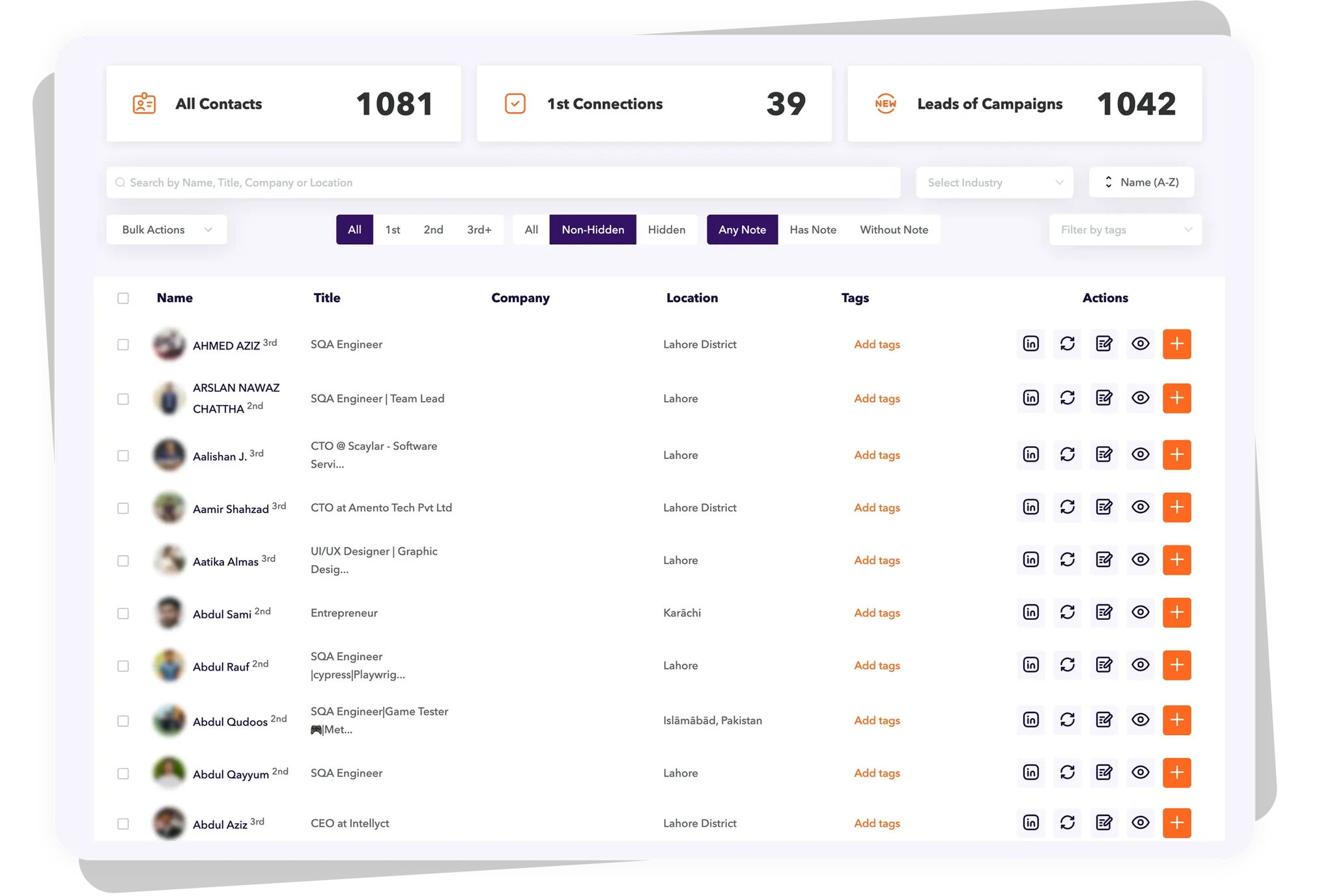
Built-in LinkedIn CRM
Keep your leads organised with tags, notes, and lists.
Nothing gets lost in LinkedIn.
A better LinkedIn inbox
Reply to messages from one inbox.
Use tags and filters to stay organised.

Built for growth
without overpaying.

Founders & small teams
Do more with less. Drake gives you the full LinkedIn workflow without enterprise pricing.
SDRs & sales reps
Consistent outreach, every day. Run connection + follow-up campaigns and keep the pipeline moving.
Agencies & lead gen teams
Manage multiple workflows. Organize leads with tags and inbox so nothing gets lost across clients.
"This is a great tool, cheap by comparison and very effective. I've used it for many outreach searches and found the results to be very good."
Felipe P. - CEO & Co-founder
The built-in inbox saves me so much time. I can manage replies without jumping between tabs.
Jake M.
Account Executive
We finally stopped losing leads in follow-ups. Drake keeps the sequence moving automatically.
Hannah T.
Sales Manager
Drake helped us build a repeatable LinkedIn routine. Less chaos, more conversations. Highly recommend.
Marcus V.
Founder
The CRM features are underrated. Tags + notes make it easy to keep track of real opportunities.
Elena K.
Business Development
We tried a few tools - Drake was the first one that felt like the full workflow at a fair price.
Isabella D.
Growth Lead
We tried a few tools - Drake was the first one that felt like the full workflow at a fair price.
Isabella D.
Growth Lead
We finally stopped losing leads in follow-ups. Drake keeps the sequence moving automatically.
Hannah T.
Sales Manager
If you want a cost-effective LinkedIn system, this is it. Simple, consistent, and practical.
Tom B.
Sales Consultant
Drake helped us build a repeatable LinkedIn routine. Less chaos, more conversations. Highly recommend.
Marcus V.
Founder
The CRM features are underrated. Tags + notes make it easy to keep track of real opportunities.
Elena K.
Business Development
The CRM features are underrated. Tags + notes make it easy to keep track of real opportunities.
Elena K.
Business Development
We tried a few tools - Drake was the first one that felt like the full workflow at a fair price.
Isabella D.
Growth Lead
The built-in inbox saves me so much time. I can manage replies without jumping between tabs.
Jake M.
Account Executive
Drake helped us build a repeatable LinkedIn routine. Less chaos, more conversations. Highly recommend.
Marcus V.
Founder
We finally stopped losing leads in follow-ups. Drake keeps the sequence moving automatically.
Hannah T.
Sales Manager
If you want a cost-effective LinkedIn system, this is it. Simple, consistent, and practical.
Tom B.
Sales Consultant
Drake helped us build a repeatable LinkedIn routine. Less chaos, more conversations. Highly recommend.
Marcus V.
Founder
We tried a few tools - Drake was the first one that felt like the full workflow at a fair price.
Isabella D.
Growth Lead
The CRM features are underrated. Tags + notes make it easy to keep track of real opportunities.
Elena K.
Business Development
The built-in inbox saves me so much time. I can manage replies without jumping between tabs.
Jake M.
Account Executive
The built-in inbox saves me so much time. I can manage replies without jumping between tabs.
Jake M.
Account Executive
We finally stopped losing leads in follow-ups. Drake keeps the sequence moving automatically.
Hannah T.
Sales Manager
Drake helped us build a repeatable LinkedIn routine. Less chaos, more conversations. Highly recommend.
Marcus V.
Founder
The CRM features are underrated. Tags + notes make it easy to keep track of real opportunities.
Elena K.
Business Development
We tried a few tools - Drake was the first one that felt like the full workflow at a fair price.
Isabella D.
Growth Lead
The built-in inbox saves me so much time. I can manage replies without jumping between tabs.
Jake M.
Account Executive
We finally stopped losing leads in follow-ups. Drake keeps the sequence moving automatically.
Hannah T.
Sales Manager
Drake helped us build a repeatable LinkedIn routine. Less chaos, more conversations. Highly recommend.
Marcus V.
Founder
The CRM features are underrated. Tags + notes make it easy to keep track of real opportunities.
Elena K.
Business Development
We tried a few tools - Drake was the first one that felt like the full workflow at a fair price.
Isabella D.
Growth Lead
We tried a few tools - Drake was the first one that felt like the full workflow at a fair price.
Isabella D.
Growth Lead
The built-in inbox saves me so much time. I can manage replies without jumping between tabs.
Jake M.
Account Executive
Drake helped us build a repeatable LinkedIn routine. Less chaos, more conversations. Highly recommend.
Marcus V.
Founder
The CRM features are underrated. Tags + notes make it easy to keep track of real opportunities.
Elena K.
Business Development
We finally stopped losing leads in follow-ups. Drake keeps the sequence moving automatically.
Hannah T.
Sales Manager
Drake helped us build a repeatable LinkedIn routine. Less chaos, more conversations. Highly recommend.
Marcus V.
Founder
The built-in inbox saves me so much time. I can manage replies without jumping between tabs.
Jake M.
Account Executive
We tried a few tools - Drake was the first one that felt like the full workflow at a fair price.
Isabella D.
Growth Lead
The CRM features are underrated. Tags + notes make it easy to keep track of real opportunities.
Elena K.
Business Development
If you want a cost-effective LinkedIn system, this is it. Simple, consistent, and practical.
Tom B.
Sales Consultant
The CRM features are underrated. Tags + notes make it easy to keep track of real opportunities.
Elena K.
Business Development
We finally stopped losing leads in follow-ups. Drake keeps the sequence moving automatically.
Hannah T.
Sales Manager
The built-in inbox saves me so much time. I can manage replies without jumping between tabs.
Jake M.
Account Executive
If you want a cost-effective LinkedIn system, this is it. Simple, consistent, and practical.
Tom B.
Sales Consultant
Drake helped us build a repeatable LinkedIn routine. Less chaos, more conversations. Highly recommend.
Marcus V.
Founder
If you want a cost-effective LinkedIn system, this is it. Simple, consistent, and practical.
Tom B.
Sales Consultant
We finally stopped losing leads in follow-ups. Drake keeps the sequence moving automatically.
Hannah T.
Sales Manager
We tried a few tools - Drake was the first one that felt like the full workflow at a fair price.
Isabella D.
Growth Lead
The CRM features are underrated. Tags + notes make it easy to keep track of real opportunities.
Elena K.
Business Development
Drake helped us build a repeatable LinkedIn routine. Less chaos, more conversations. Highly recommend.
Marcus V.
Founder
We tried a few tools - Drake was the first one that felt like the full workflow at a fair price.
Isabella D.
Growth Lead
We finally stopped losing leads in follow-ups. Drake keeps the sequence moving automatically.
Hannah T.
Sales Manager
Drake helped us build a repeatable LinkedIn routine. Less chaos, more conversations. Highly recommend.
Marcus V.
Founder
The CRM features are underrated. Tags + notes make it easy to keep track of real opportunities.
Elena K.
Business Development
The built-in inbox saves me so much time. I can manage replies without jumping between tabs.
Jake M.
Account Executive
The CRM features are underrated. Tags + notes make it easy to keep track of real opportunities.
Elena K.
Business Development
Drake helped us build a repeatable LinkedIn routine. Less chaos, more conversations. Highly recommend.
Marcus V.
Founder
If you want a cost-effective LinkedIn system, this is it. Simple, consistent, and practical.
Tom B.
Sales Consultant
We tried a few tools - Drake was the first one that felt like the full workflow at a fair price.
Isabella D.
Growth Lead
We finally stopped losing leads in follow-ups. Drake keeps the sequence moving automatically.
Hannah T.
Sales Manager

Still have questions?

Can I use other applications while using Drake Chrome extension?
Yes. Don't worry about our extension interrupting you - it will keep running smoothly no matter what other applications or programs you use.
How long do you take to answer support inquires?
At Drake, we value your time and strive to provide timely support for our users. While we aim to address your inquiries as quickly as possible, please note that our current response time for Drake inquiries is up to 24 hours. Our team is dedicated to delivering accurate and helpful responses to your questions and requests. However, certain factors such as the volume of inquiries or unexpected circumstances may occasionally cause slight delays. We appreciate your patience and understanding during such instances.
I got a warning from LinkedIn; what should I do?
LinkedIn may issue a warning if your activity levels seem suspicious. To avoid any further account problems, be sure to pause automated tools and control the number of connection requests or messages you send out at one time. Make sure to take it slowly and warm your account once everything gets back to normal.
Can I cancel my subscription at any time?
Yes, you can cancel your subscription at any time.
How many connection requests can I send a week?
With Drake, you can reach up to 500 contacts per week. These 500 invitations will depend on your current LinkedIn subscription, and this is to keep your account safe and avoid restrictions.

Stop doing LinkedIn outreach yourself.
Drake connects, messages, and follows up for you.
You only step in when someone replies.

Let Drake handle your outreach